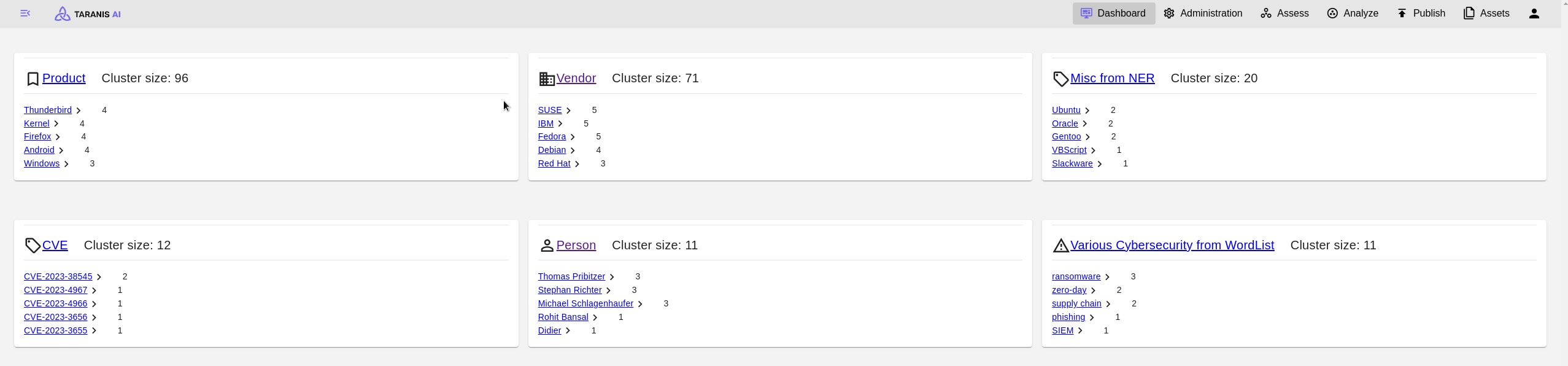
Dashboard is displaying the most frequent topics as well as basic statistics of the application. By clicking on one of the topic headers, the user gets redirected to the Assess endpoint (with the topic set as tag filter). The statistic fields redirect to the respective endpoints, too.
Conflict resolution
experimental feature
Conflicts can currently be resolved in the Connectors section accessible in the general and administration dashboard.
In the Conflict Resolution View it is possible to resolve given conflicts.
In the view, all stories that have conflicts will be shown in expandable cards. One by one it is possible to inspect them and resolve them.
There are two main conflict types:
- Story conflicts
- News Item conflicts
Story conflicts
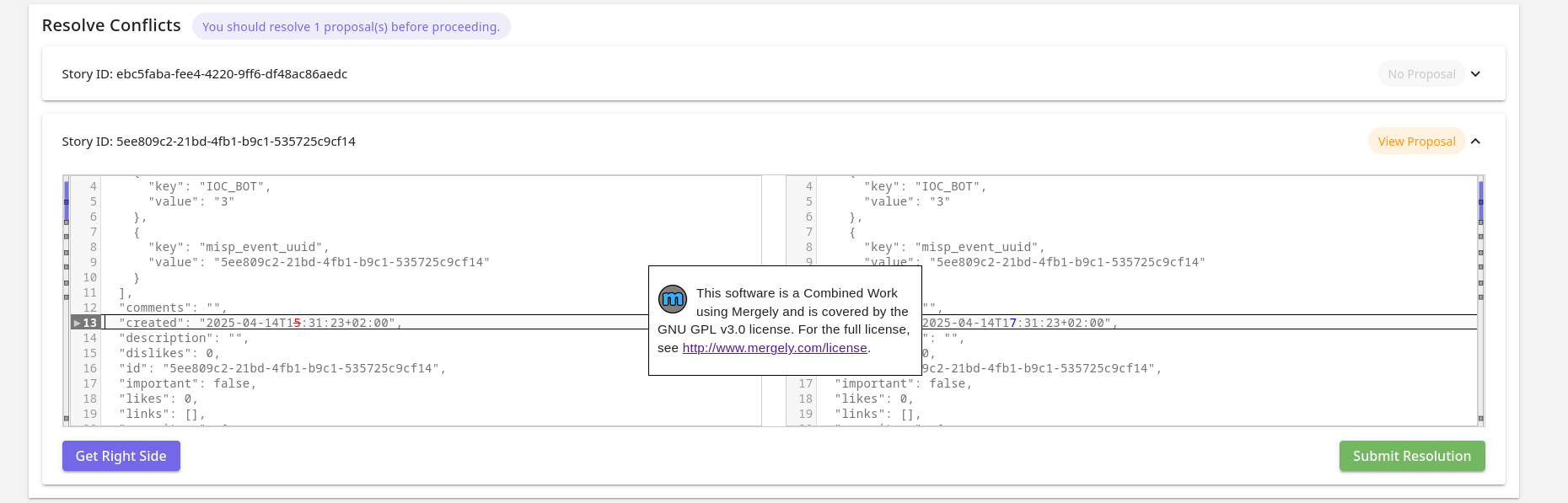
Story conflicts occur when change of the same story happened in MISP and locally as well. In that case a clean update cannot happen.
This example shows that in the Story in MISP was a News Item removed and two other Story fields (comments and description) were updated.
News Item Conflicts
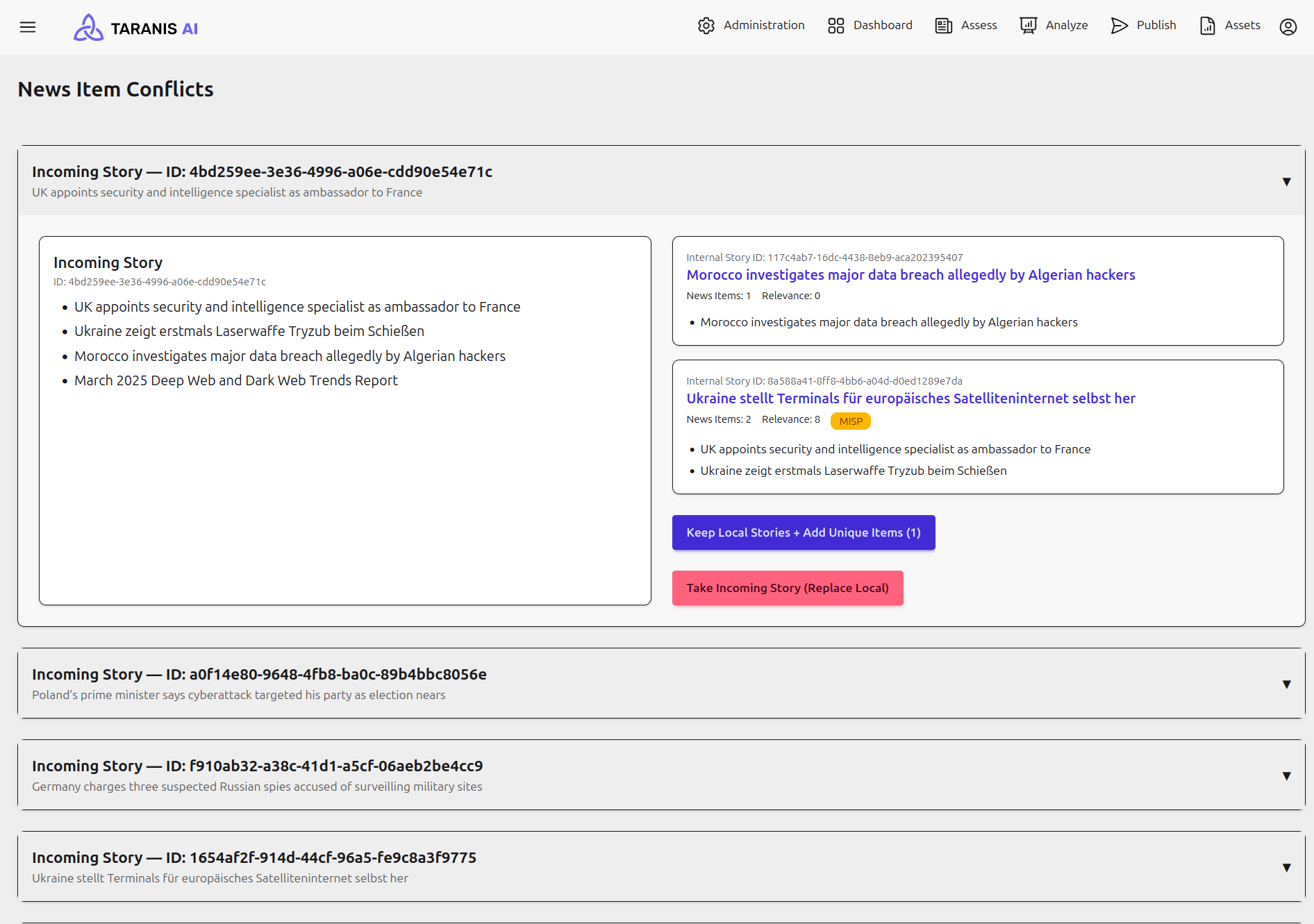
The News Item conflicts occur when stories have divergent news items and cannot be automatically updated due to a local change. The user is offered to choose from 2 options of resolution:
- Keep Local Stories + Add Unique Items - local Stories stay untouched and News Items that are new are ingested separately.
- Take Incoming Story (Replace Local) - local Stories are ungrouped and the incoming Story is ingested as is.
Conflicts are stored in a temporary memory, to encourage a fresh MISP Collector recollection, before resolving conflicts and to prevent conflict resolution with outdated data.